 TECHNO
Rumble
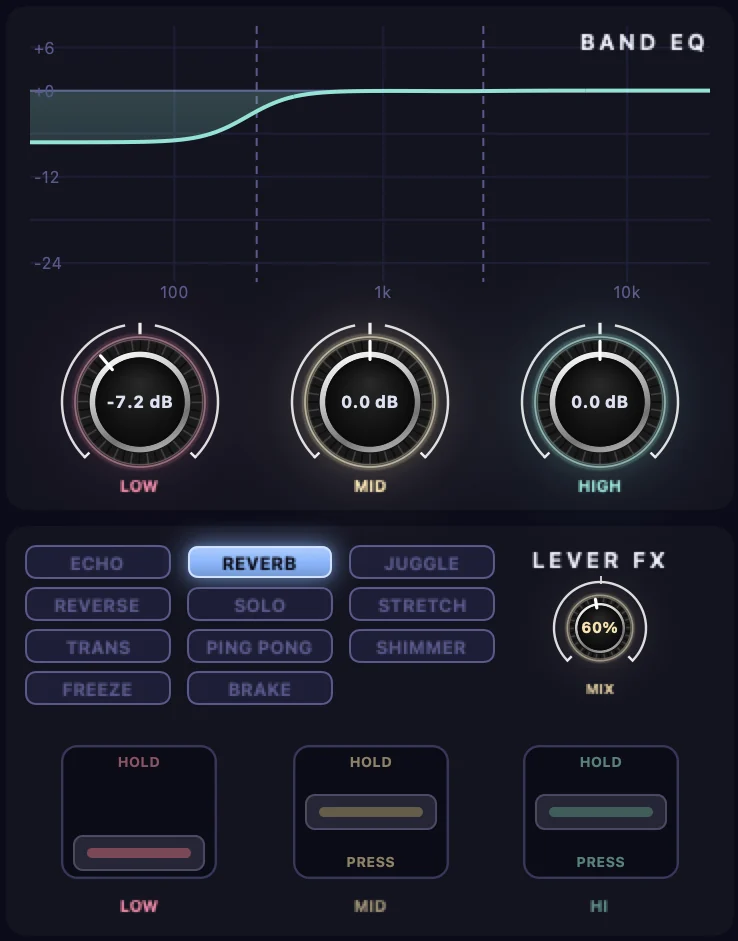
Lever reverb on the kick for one bar, low EQ pulled back — a dark rumble that doesn't boom.

Spotify, YouTube, SoundCloud, Apple Music or your DJ app — Vivid FX puts a club mixer's EQ, filter and 22 beat-synced effects on top of it, live. No library to import, no virtual cables.
macOS 15 or later · Apple silicon and Intel · Free Lite version, one-time Pro licence
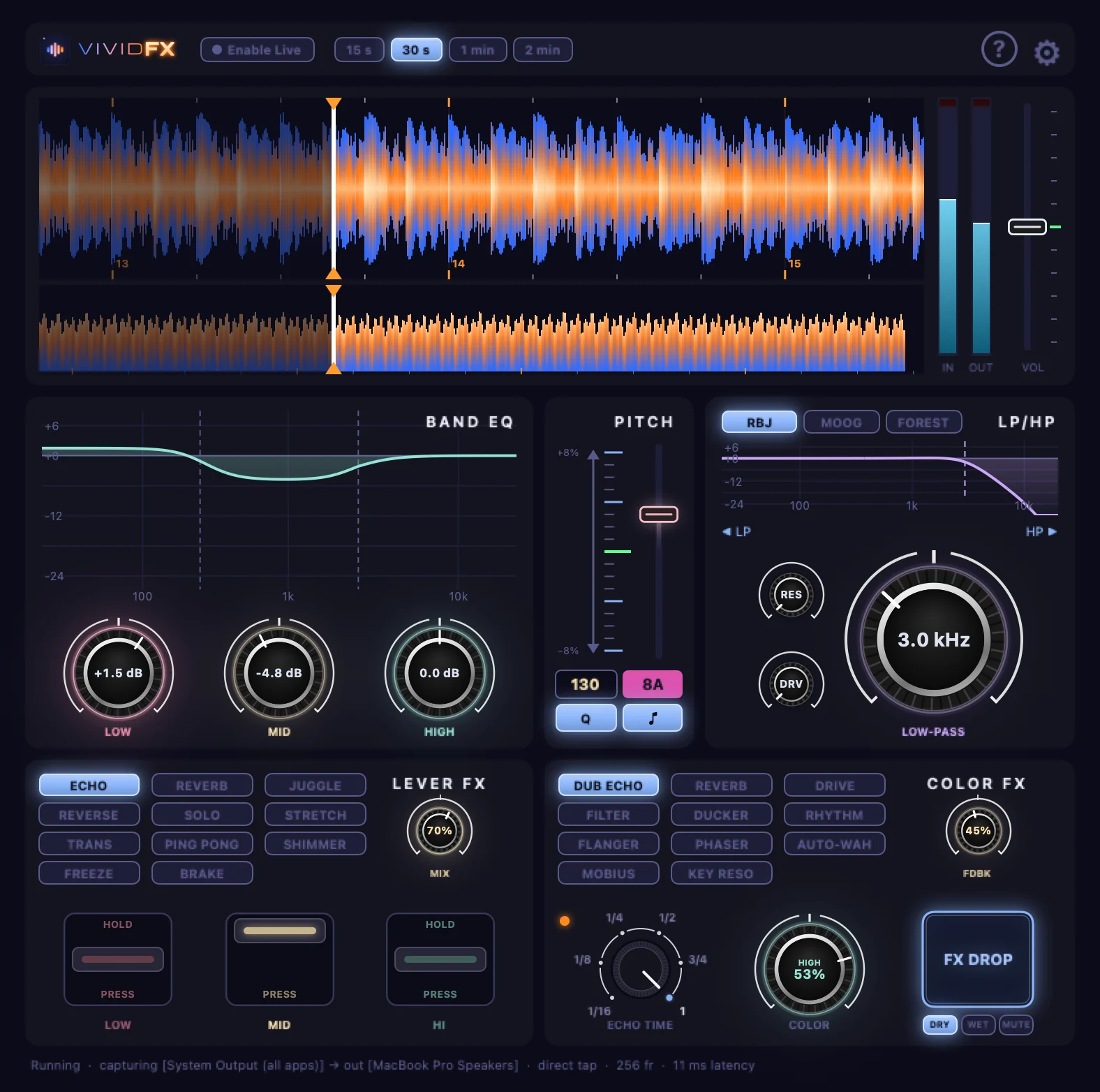
Vivid FX takes your Mac's sound — all apps or just one — and plays it back through the effects. Nothing to load, nothing to route.
Tempo, beats and bars are found as it plays — and planned ahead with the lookahead buffer — so echoes, rolls and chops land on the grid.
An isolator EQ, a resonant LP/HP filter, LOW / MID / HI effect levers and FX DROP to echo it all out. Every control can be MIDI-learned.
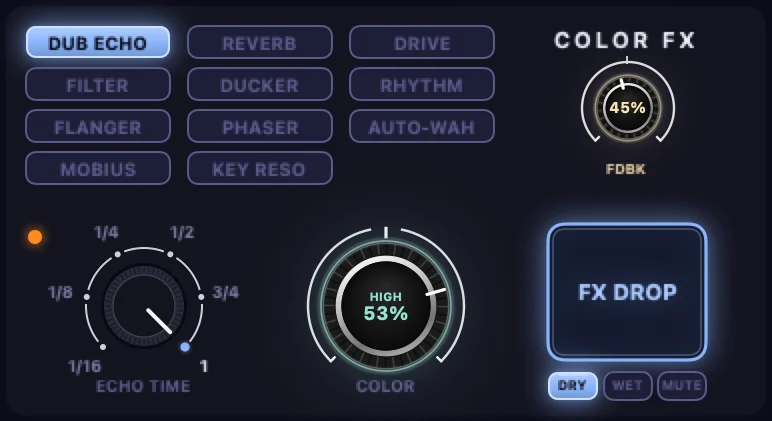
Pick one and turn the big knob: left and right do different things, the centre is dry. Dub echo, reverb, drive, filter, ducker, rhythm, flanger, phaser, auto-wah, an endless rising sweep, and resonators that ring in the song's key.
Echoes and reverbs ring out when you let go, like a send on a real mixer.
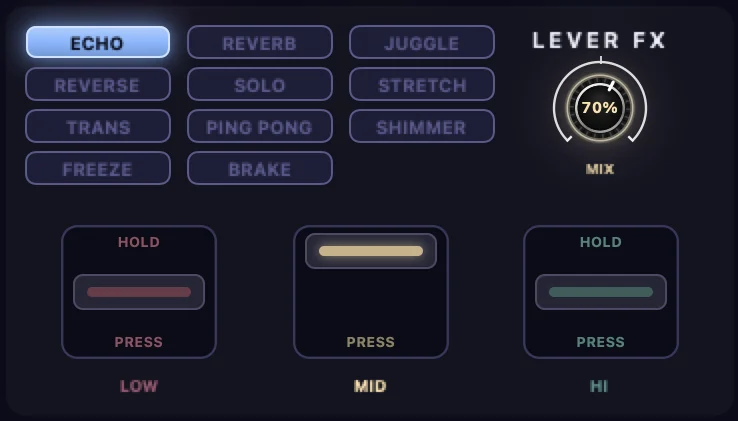
Pull the LOW lever and only the kick and bass echo, reverse, stretch, freeze or brake to a stop — the rest of the track plays on. Hold to latch, press for a moment.
Echo, reverb, juggle, reverse, solo, stretch, trans, ping pong, shimmer, freeze and brake.
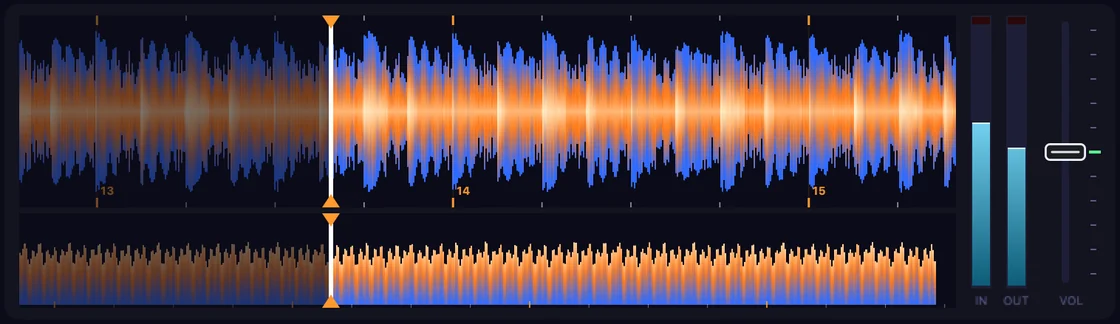
With a lookahead buffer you see the music ahead with its beat grid and bar numbers. Change the tempo by ±8 % with the key held, and hold FX DROP to echo everything out on the beat.
Techno, house, drum & bass, ambient, organic, trance and hip-hop — each recipe shows the controls set exactly as described.
TECHNO
Lever reverb on the kick for one bar, low EQ pulled back — a dark rumble that doesn't boom.
 HOUSE
HOUSE
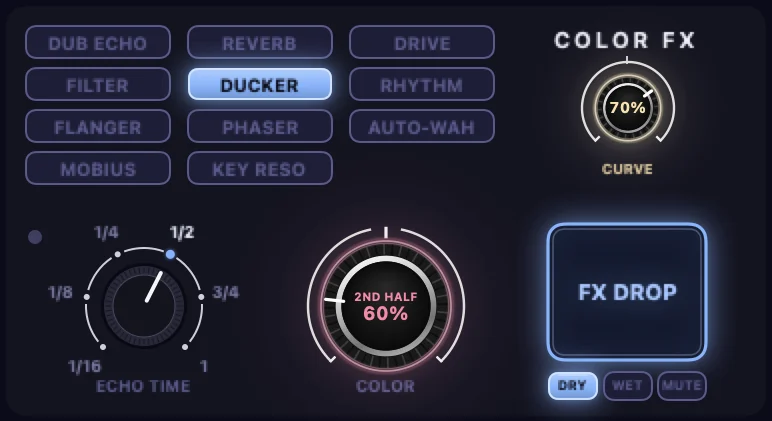
Ducker on the second half of each beat: a sidechain pump on every kick, lovely on chords.
 DRUM & BASS
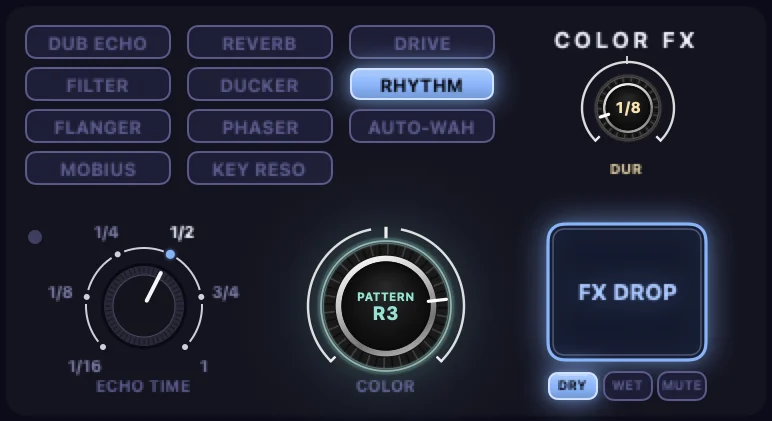
Rhythm rolls on 1/8 slices that tighten as you turn, right into the drop.
No subscription. Your licence is yours.
We're inviting a small group of DJs to the beta. Leave your email and tell us what you play — you'll get the first builds and a say in what comes next.
We'll only email you about Vivid FX. Privacy
No. Vivid FX uses macOS's own audio capture, so it hears what's playing directly.
Yes — anything your Mac plays. Streaming services' terms are for personal listening, so it's for practice, fun and streaming at home rather than playing gigs from them.
macOS 15 Sequoia or later, on Apple silicon or Intel.
Yes. Every knob, lever and button can be learned from any MIDI controller.